
Kitting out an esports lounge or gaming cafe is a very different buying job than picking one screen for your own desk. You are buying ten, twenty, or fifty identical panels that run 10-14 hours a day, survive rough handling from strangers, and need to look consistent from station to station. The winning spec sheet leans toward durability, warranty, and total cost per seat rather than the flashiest peak brightness.
Our Top Picks
 SANSUI 24 Inch 180Hz Gaming Computer Monitor23.8121.2 x 7.95 x 16.28 inches8.7 poundsCheck on Amazon
 Sceptre Curved 24-inch Gaming Monitor 1080p R1500 98%24-Inches16.04 x 21.61 x 9.06 Inches6 PoundsCheck on Amazon
 SANSUI 32 Inch Curved 240Hz Gaming Monitor High32 inch24.19 x 8.06 x 17.75 Inches9.7 PoundsCheck on Amazon


Top 3 picks at a glance
What actually matters for a commercial floor
For a paid-play environment, three things dominate: refresh rate that matches your game menu, panels that shrug off burn-in, and a warranty that covers dead pixels and long duty cycles. A 24.5-inch 1080p IPS at 240Hz is the workhorse of most competitive cafes because it hits the sweet spot of price, speed, and image consistency.
As an Amazon Associate we earn from qualifying purchases at no extra cost to you.




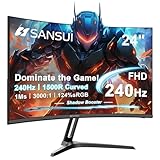


Refresh rate versus budget
Competitive titles like CS2, Valorant, and Overwatch reward high refresh, but you do not need to spend on 360Hz or 540Hz for every seat. A common approach is tiering: 240Hz across the general floor and a small block of 360Hz “pro” or tournament seats you can charge a premium for.
Why IPS over OLED here
OLED looks gorgeous but static HUDs, scoreboards, and cafe branding sitting on screen for 12 hours a day are exactly the burn-in trigger you want to avoid on hardware you cannot babysit. LCD IPS panels carry no burn-in risk and are cheaper to replace if one gets damaged.
Durability, cables, and theft-proofing
Buy monitors with a standard 100×100 VESA mount so you can bolt them to desk arms or wall mounts, keeping cables tidy and screens out of grabbing range. Lockable Kensington slots, recessed ports, and rear cable channels all cut down on tampering and accidental unplugging that eats staff time.
| Seat tier | Panel / spec | Refresh | Est. cost per seat | Best for |
|---|---|---|---|---|
| General floor | 24.5″ 1080p IPS | 180-240Hz | $140-200 | Casual pay-per-hour play |
| Competitive | 24.5″ 1080p Fast IPS | 240-360Hz | $220-330 | Ranked and scrims |
| Tournament | 24.5″ 1080p IPS | 360-500Hz | $350-500 | Premium bookable seats |
| Content / stream booth | 27″ 1440p IPS | 165-240Hz | $250-400 | Creators and coaching |
Total cost of ownership
Sticker price is only half the math. A panel that draws 25-35W instead of 45-60W saves real money across dozens of seats running all day, and a three-year on-site warranty can be worth more than a $30 price cut per unit. Standardize on one or two models so spares, mounts, and cables interchange freely.
Standardize settings
Lock every station to the same brightness (around 120-150 nits for indoor lighting), the same overdrive setting, and native resolution so players get an identical experience no matter where they sit. Many business-grade monitors let you export and clone an OSD profile.
Layout, glare, and player comfort
How you arrange the room feeds back into the monitor spec. Stations packed side by side under bright overhead lighting benefit from matte anti-glare panels, because glossy screens turn ceiling lights into distracting reflections that hurt reaction time. Position screens so no window sits directly behind or in front of players, and keep the top edge at or just below eye level to reduce neck fatigue during marathon sessions.
Height-adjustable stands or arms are worth the small premium in a commercial setting: players of very different sizes cycle through the same seat all day, and a screen stuck at one fixed height leaves half of them craning. If your budget forces a choice, prioritize tilt and height adjustment on the general floor over an extra 60Hz of refresh rate that casual customers will never notice.
FAQ
Do I need OLED for a gaming cafe?
No. For a commercial floor, LCD IPS is the smarter pick because it has zero burn-in risk from static HUDs and branding, costs less to replace, and still delivers the fast response competitive players want at 240Hz and up.
What size is best for cafe stations?
24 to 24.5 inches at 1080p is the standard for competitive seats because the whole image sits in one field of view and the resolution is easy for mid-range GPUs to drive at high frame rates, keeping your per-seat hardware cost sane.
Bottom line
Build the floor around durable 24.5-inch 1080p IPS panels at 180-240Hz, add a small premium block of 360Hz+ seats you can upsell, and skip OLED to dodge burn-in. Prioritize warranty, VESA mounting, and matched settings so the room feels consistent and your staff spends time serving players, not fixing screens.









