
A monitor for a child’s desk has to juggle homework, casual gaming, and video calls while being easy on young eyes and easy on your budget. You do not need a flagship display; you need durability, comfort features, and sensible specs. This guide walks through what actually matters when choosing a screen for a kids’ gaming and study setup.
Our Top Picks
 Acer Nitro 23.8in FHD 1920x1080 180Hz Gaming Monitor23.8-inch21.27 x 7.44 x 16.3 inches8.4 PoundsCheck on Amazon
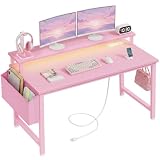
 Lufeiya Small Girls Desk with Power Outlets and31.5"19.7 x 31.5 x 34 inches18.7 poundsCheck on Amazon
 Raywego Pink 27 Inch Pink Curved Gaming Monitor27 inch1.45 x 21.2 x 16.2 inches7.5 PoundsCheck on Amazon
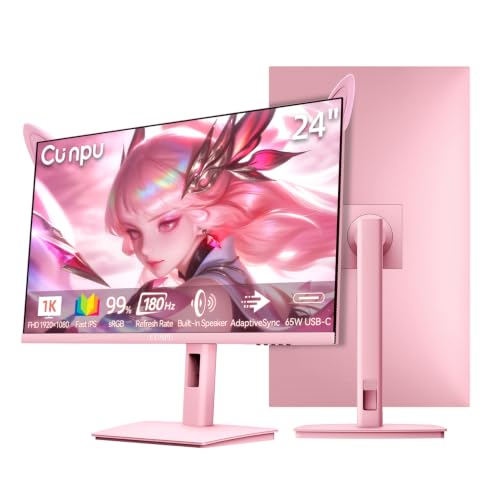
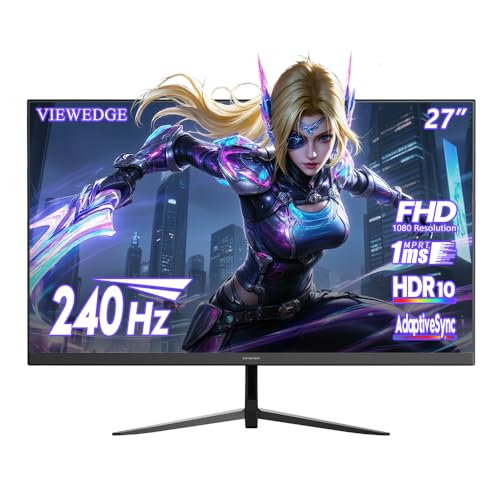

Top 3 picks at a glance

Eye Comfort Is the Top Priority
Children spend hours in front of screens, so eye comfort leads the list. Insist on a flicker-free backlight and a low blue light mode, both common even on budget panels. A matte anti-glare coating cuts reflections from bright rooms and windows. Encourage the 20-20-20 habit alongside the hardware: every 20 minutes, look 20 feet away for 20 seconds.
As an Amazon Associate we earn from qualifying purchases at no extra cost to you.




Size and Distance
A 24 to 27-inch panel suits a child’s desk and viewing distance. Bigger is not automatically better; a huge screen too close forces constant head movement. Set the top of the screen at or just below eye level to protect posture.
| Spec | Homework Focus | Casual Gaming Focus | Balanced Pick |
|---|---|---|---|
| Size | 24 inch | 27 inch | 24-27 inch |
| Resolution | 1080p | 1080p-1440p | 1080p or 1440p |
| Refresh rate | 60-75 Hz | 100-144 Hz | 100 Hz IPS |
| Rough price | $100-150 | $150-220 | $130-200 |
Resolution and Refresh Rate
For homework, 1080p on a 24-inch panel keeps text sharp and costs little. For casual gaming, a 100 to 144 Hz IPS panel adds smoothness that kids notice in platformers and shooters without the price of a competitive display. An IPS panel gives wide viewing angles so siblings can watch along, and adaptive sync smooths out frame rate dips on modest hardware.
Durability and Connectivity
Kids are tough on gear. A sturdy stand that resists wobble and a cable layout that is hard to yank out both help. Built-in speakers, while never great, are convenient for casual use and video calls without extra clutter. Make sure inputs match the child’s device, whether a laptop over HDMI or USB-C or a console needing HDMI.
Budget Without Regret
You can build a great kids’ setup for well under $200. Spend on comfort features and a reliable IPS panel rather than exotic HDR or ultra-high refresh rates they will not use. If the child grows into competitive gaming later, the 100 Hz panel still serves as a capable secondary or homework screen.
FAQ
Do blue light modes actually protect kids’ eyes?
Low blue light modes and flicker-free backlights reduce a common source of visual fatigue during long sessions, which is worthwhile. They are not a substitute for good habits, so pair them with regular breaks, proper distance, and reasonable screen time limits.
Is 1440p worth it for a kids’ setup?
Only if the budget allows and the child games often. For homework and casual play, 1080p on a 24-inch panel is sharp and affordable. Step up to 1440p on a 27-inch screen if you want extra clarity and longer useful life.
Parental Practicality
Simple, chunky physical controls make it easy for a child to adjust brightness or switch inputs without diving into confusing menus. A model with an accessible headphone jack keeps noise down in shared spaces, and picture presets for reading versus gaming help kids match the screen to the task. Choose a panel from a brand with a solid warranty and easy support, because a child’s setup takes more knocks than an adult’s and reliability saves you replacement hassle.
Bottom Line
For a kids’ gaming and homework station, prioritize eye comfort, a sturdy build, and a value-focused IPS panel. A 24 to 27-inch 1080p or 1440p display at 100 Hz with flicker-free, low blue light features covers study and casual gaming for under $200. Save the premium specs for when they truly need them.









