
Roughly one in twelve men and one in two hundred women have some form of color vision deficiency, yet monitor buying guides almost never mention it. The right display and settings will not cure color blindness, but they can meaningfully improve how well someone distinguishes game markers, chart data, and UI states. Here is what genuinely helps when accessibility is the goal.
Our Top Picks
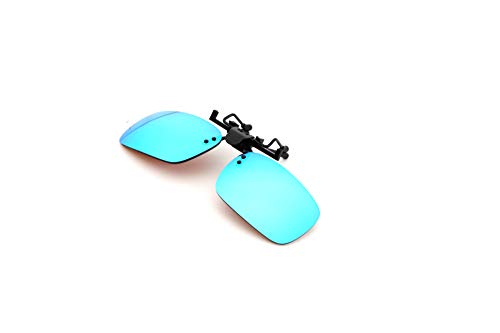 Pilestone TP-018 Lens A Color Blind Glasses Clip-on130mm x 40mm5.1 x 1.6 x 0.1 inches0.7 PoundsCheck on Amazon
 INOOMP Color Test Book with Ishihara Color Chart9.70X8.50X0.30CM3.81 x 3.34 x 0.11 inches0.07 poundsCheck on Amazon


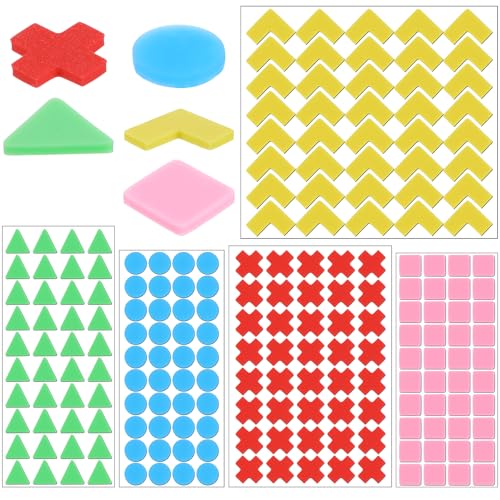
Top 3 picks at a glance
What a monitor can and cannot do
Be clear-eyed: no panel restores missing color perception. What a good monitor offers is flexibility, high contrast, and adjustment tools that make existing color differences easier to separate, plus compatibility with the software filters and daltonization settings that do the real accessibility work. The display is a partner to those tools, not a substitute.
As an Amazon Associate we earn from qualifying purchases at no extra cost to you.


| Feature | Benefit for color vision deficiency |
|---|---|
| High contrast (VA/OLED) | Brightness differences aid separation |
| Adjustable color temp / gamma | Tune tones that are hard to tell apart |
| Wide gamut with sRGB clamp | Consistent, predictable colors |
| Good uniformity | Same colors read the same across the screen |
Lean on contrast and brightness cues
Because many color-deficient viewers distinguish luminance more reliably than hue, a high-contrast panel helps. A VA or OLED display with deep blacks makes brightness-based differences clearer, which is why converting color-coded information into contrast is such an effective accessibility strategy. Pair that with the color-blind modes many games and operating systems now include, which shift problem colors toward more distinguishable pairs.
Settings and software that matter most
The heavy lifting happens in software. Windows and macOS both include color filters that adjust the whole display for protanopia, deuteranopia, and tritanopia. Many games ship dedicated color-blind modes; enabling them often matters more than any hardware choice. A monitor with easy, granular OSD control over color temperature, gamma, and individual color channels lets you fine-tune on top of those filters to your specific deficiency.
Consistency helps too
A panel with good uniformity and an sRGB clamp shows the same color the same way across the screen and over time, so once you learn what a given marker looks like, it stays reliable. Erratic, oversaturated factory modes make that harder, so a calibrated, consistent setup is part of the accessibility picture.
Bigger screens and clearer separation
A larger, higher-resolution panel can also help indirectly by giving on-screen elements more room, so shape, position, and pattern cues, not just color, carry more of the information. Many accessible game and app designs pair color with icons, labels, or textures, and a spacious 27-inch or larger screen makes those secondary cues easier to read. The display becomes a canvas where non-color information has space to do its job.
Frequently asked questions
Can a monitor fix color blindness?
No. Color vision deficiency is a characteristic of the eye, and no display can add perception that is not there. A monitor can only make existing differences easier to use through high contrast, adjustable color controls, and compatibility with software color filters and in-game color-blind modes, which do the real work.
Do color-blind glasses replace monitor settings?
They are separate tools that can complement each other. Some people find tinted glasses help with certain deficiencies in the real world, but for screen use, software color filters and a monitor with flexible color controls are usually more precise and adjustable. Combining in-game color-blind modes with a high-contrast, well-tuned panel is the most dependable on-screen approach.
Bottom line
For color-blind accessibility, choose a high-contrast VA or OLED panel with flexible OSD color and gamma controls and good uniformity, then rely on operating-system color filters and in-game color-blind modes to do the real separation work. The monitor cannot restore color perception, but a contrast-forward, adjustable, consistent display makes the tools that help work as well as possible.









