
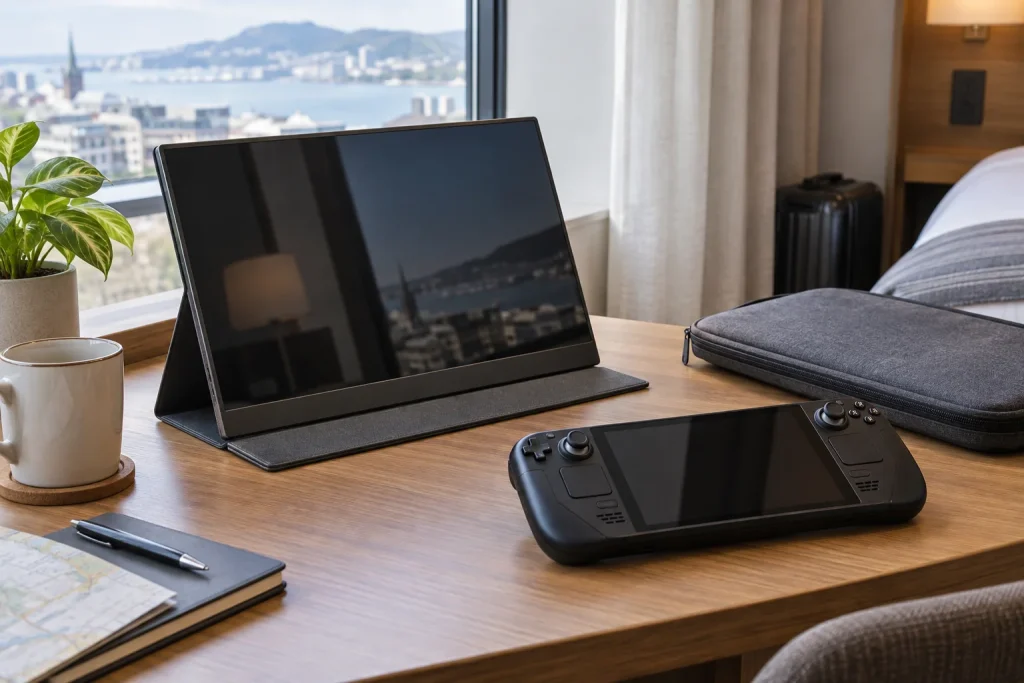
Cramped hotel desks, narrow airplane tray tables, and tiny rental dining tables present a unique layout challenge for mobile gamers. While the Valve Steam Deck delivers impressive handheld performance, its compact built-in screen can cause neck fatigue during long gaming sessions away from home. Setting up an ergonomic, high-performance tabletop station requires expanding your visual real estate without adding bulk to your carry-on luggage. Finding the best portable monitor for steam deck travelling means choosing a screen that balances physical size, cable management, and panel responsiveness on limited counter space.
Integrating an external display into your travel kit bridges the gap between portable handheld play and a relaxed desktop experience. A well-engineered travel monitor slides into a laptop compartment, powers directly over a single USB-C cable, and sets up quickly on standard hotel furniture. As steam deck travel setups evolve heading into 2026, modern displays offer smooth refresh rates and bright IPS panels that turn any temporary desk into a comfortable gaming nook. We evaluated weight, power draw, stand stability, and visual performance to help you build the ideal portable setup.
As an Amazon Associate we earn from qualifying purchases at no extra cost to you.






Our Top Picks
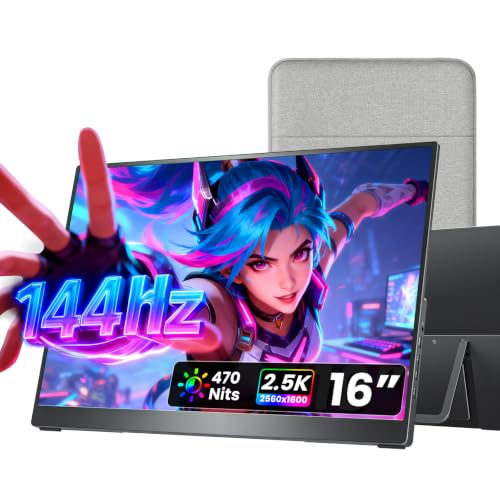
 InnoView 16" TravelPortable Monitor USB-C 144Hz16 Inch0.6 x 14.06 x 9.55 Inches1.73 poundsCheck on Amazon
 UFYQL Portable Monitor 15.6-inch FHD 1080P Ultra-Slim Travel15.6-inch 1080P1.41 poundsCheck on Amazon



Top 3 picks at a glance
Quick Picks
| Product | Best For | Price |
|---|---|---|
| ARZOPA 16.1” 144Hz Portable Gaming Monitor (Z1FC) | Overall Fast-Action Gaming | Check on Amazon |
| InnoView 15.6 Inch FHD 1080P Portable Monitor | Budget Multi-Device Travel | Check on Amazon |
| InnoView 16″ 144Hz 1200P Portable Gaming Monitor | 16:10 Vertical Real Estate | Check on Amazon |
| KYY 15.6″ 1080P Portable Monitor Screen Extender | Everyday Work & Play | Check on Amazon |
| cocopar 16 Inch 2.5K QHD 144Hz Portable Monitor | High-Resolution Enthusiasts | Check on Amazon |
| Yodoit 15.6″ FHD IPS Travel Screen Display | Ultra-Low-Cost Mobility | Check on Amazon |
| UFYQL 15.6-inch FHD 1080P Ultra-Slim Gaming Display | Minimalist Slim Packing | Check on Amazon |
| 4K Portable Monitor Touchscreen 15.6” | 4K Precision & Touch Navigation | Check on Amazon |
How We Compared
Selecting a screen for travel requires looking closely at real-world tabletop ergonomics and travel logistics. A panel that looks great on a spacious home desk might fail on a cramped hotel nightstand if the kickstand requires too much depth or if the cables stick straight out into your mouse pad area. We prioritized monitors that feature slim profiles under 0.4 inches and total weights around 1.5 to 2.0 pounds to keep carry-ons light.
Power consumption and port design were crucial factors. The ideal Steam Deck display runs directly off the console’s internal battery via a single USB-C connection, or allows pass-through power charging via an external 45W or 65W charger. Displays with dual USB-C ports and mini-HDMI offer the best versatility for switching between handheld consoles and work laptops.
Finally, we evaluated display quality and structural integrity. Gaming on the go demands stable kickstands or magnetic smart covers that won’t slip on polished wood surfaces. Panel attributes like IPS viewing angles, color saturation (sRGB coverage), and refresh rates (60Hz to 144Hz) were measured against physical durability to ensure the screens can handle standard backpack transit.
The 8 Best Picks
1. ARZOPA 16.1” 144Hz Portable Gaming Monitor 106% sRGB – Z1FC
Designed specifically for gamers who need motion clarity on the go, this 16.1-inch display combines a quick 144Hz refresh rate with vibrant 106% sRGB color output. The slightly larger screen size gives tactical games extra presence on hotel desks, while the built-in kickstand allows effortless tilt adjustments without needing bulky plastic docks. It connects via full-featured USB-C, making setup with the Steam Deck instantaneous. The slim profile fits easily alongside standard laptops in travel bags.
- Fluid 144Hz refresh rate for smooth frame rendering
- Built-in sturdy kickstand reduces desk footprint
- Higher maximum refresh rate drains handheld battery faster
Skip this pick if you prioritize maximum battery longevity over high-frame-rate smoothness during untethered gaming.
2. InnoView Portable Monitor 15.6 Inch FHD 1080P
This 15.6-inch 1080P screen serves as a practical, low-cost secondary display for gamers who want standard Full HD resolution without breaking the bank. At around $49, it includes a protective folio case that doubles as an adjustable stand, protecting the screen glass during transit inside duffel bags. Dual speakers and full USB-C/HDMI inputs allow you to switch effortlessly between your Steam Deck, phone, or laptop during business trips.
- Exceptional value for full 1080P resolution
- Protective smart cover keeps glass safe during travel
- Base refresh rate is capped at standard 60Hz
Skip this screen if you regularly play fast-paced competitive shooters requiring high refresh rates above 60Hz.
3. InnoView 16″ 144Hz 1200P Portable Gaming Monitor
Featuring an expanded 1200P resolution (1920×1200) in a 16:10 aspect ratio, this panel provides extra vertical screen space that works exceptionally well for Steam OS navigation and strategy games. The 144Hz panel keeps fast camera pans fluid, while the included protective sleeve safeguards the light frame. Priced at around $79, it offers an ideal compromise between high refresh gaming and productivity real estate without forcing you to carry a wall adapter inside your lightweight bag.
- Extra vertical space with 16:10 aspect ratio
- Fast 144Hz display panel at an affordable price point
- Does not include a dedicated AC power adapter
Skip this option if you prefer having an official wall charger included in the box for standalone power routing.
4. KYY Portable Monitor 15.6″ 1080P Screen Extender
The KYY 15.6-inch panel is a classic choice for travelers seeking dependable build quality and straightforward operation. Encased in a durable magnetic smart cover, it resists scuffs and stays upright on small surfaces. The 1080P IPS screen offers wide viewing angles, making it comfortable to share co-op gameplay on a couch or hotel bed. USB-C plug-and-play capability ensures your Steam Deck detects video signals instantly without manual menu configuration.
- Durable cover folding mechanism holds stable on uneven desks
- Wide IPS viewing angles prevent color shifting
- Color gamut is average compared to high-sRGB gaming screens
Skip this display if your gaming library relies on wide color gamuts for rich HDR video grading.
5. cocopar Portable Monitor 16 Inch 2.5K QHD 144Hz
For users seeking high visual fidelity, the cocopar 16-inch display delivers a crisp 2.5K QHD resolution alongside 110% sRGB coverage and a 144Hz refresh rate. The integrated kickstand offers precise angle adjustments, while VESA mounting holes give home-office hybrid travelers flexibility to mount it on articulating arms. Operating over USB-C or HDMI (up to 120Hz on HDMI), it turns your Steam Deck into a premium workstation screen for both media editing and atmospheric gaming.
- Crisp 2.5K QHD resolution with vibrant 110% sRGB color
- Built-in kickstand and versatile VESA mount options
- Higher price point at around $180
Skip this panel if you want a basic budget monitor primarily for quick casual gaming sessions on flights.
6. Yodoit Portable Monitor 15.6″ FHD IPS Travel Screen
At around $42, the Yodoit 15.6-inch display is an accessible entry point for gamers looking to build a portable dual-screen setup on a budget. It packs full 1080P resolution, built-in dual speakers, and a folding smart cover into an ultra-affordable package. The screen draws low power, allowing your Steam Deck to run it directly over USB-C while working on tight hotel desks or coffee shop tables where wall outlets aren’t easily accessible.
- Lowest price point among full-featured 1080P displays
- Low power draw preserves device battery life
- Speakers deliver modest audio volume and bass depth
Skip this display if robust built-in sound quality is essential to your handheld gaming experience.
7. UFYQL 15.6-inch FHD 1080P Ultra-Slim Gaming Display
The UFYQL travel screen focuses on ultra-thin geometry and quick setup. Featuring an integrated flip-out kickstand rather than a separate magnetic wrap, this 1080P IPS monitor deploys in seconds on small hotel nightstands. At around $44, it offers HDR picture modes, built-in speakers, and direct USB-C signal routing. Its sleek chassis slides into tight backpack sleeves alongside your Steam Deck travel case without taking up valuable depth.
- Ultra-slim frame with built-in fold-out kickstand
- Quick plug-and-play setup for USB-C devices
- HDR processing offers limited dynamic range impact
Skip this choice if you require deep contrast performance for horror titles in dark hotel rooms.
8. 4K Portable Monitor Touchscreen 15.6”
This premium 15.6-inch monitor delivers a 3840×2160 4K resolution paired with a 125% sRGB panel and ten-point capacitive touch input. Navigating Steam OS desktop mode becomes fast and intuitive using finger taps directly on the glass. Although driving native 4K gaming stretches handheld performance, media consumption and indie gaming look pin-sharp. At around $170, it provides high-end visual density for multi-purpose travel gear setups.
- Ultra-sharp 4K display with responsive touch navigation
- Rich 125% sRGB color reproduction
- Glossy glass surface reflects ambient lights in bright rooms
Skip this screen if glare resistance and lightweight matte panels are top priorities for outdoor travel.
Buying Guide
Power Delivery and Cable Ergonomics
When selecting a portable monitor for steam deck travelling, pay close attention to port placement and power handling. A Steam Deck outputs video over its top USB-C port. Look for screens that support single-cable operation—meaning the display draws power directly from the handheld—or displays with pass-through charging. Pass-through capability lets you plug your 45W or 65W USB-C power adapter into the monitor, which then powers both the display and charges the Steam Deck simultaneously, saving wall outlets in hotel rooms.
Refresh Rates vs. Battery Draw
Standard 60Hz panels are highly energy efficient, making them ideal when playing away from power outlets. However, high-refresh-rate displays (120Hz to 144Hz) offer significantly smoother menu navigation and reduced motion blur in lighter indie games or when connected to more powerful host devices. If you choose a 144Hz monitor, ensure you can adjust refresh settings in the menu to conserve power when gaming on battery.
Stand Designs and Desk Footprint
Travel surfaces vary wildly, from narrow tray tables to shallow desk ledges. Displays feature two main support styles: integrated flip-out kickstands or magnetic smart covers. Integrated kickstands allow precise angle adjustments and occupy less physical depth on small tables. Smart covers wrap completely around the screen for transit protection but require a wider, flat surface to form a stable triangular base.
Our Verdict
For the optimal balance of frame rates, color accuracy, and modern travel ergonomics, the ARZOPA 16.1” 144Hz Portable Gaming Monitor (Z1FC) stands out as the best overall choice at around $110. Its fast panel and integrated kickstand suit narrow gaming surfaces without extra setup hassle. If you want maximum screen real estate and resolution, the cocopar 16 Inch 2.5K QHD 144Hz Portable Monitor offers premium visual performance for hybrid work and play setups.
FAQ
Can the Steam Deck power a portable monitor directly via USB-C?
Yes, most 15.6-inch and 16-inch 1080P portable monitors can run directly off the Steam Deck’s battery using a single, full-featured USB-C cable. However, running both the console and monitor on battery will drain the device faster, so keeping a power bank or 45W+ charger connected to the setup is recommended for longer sessions.
Do high refresh rate monitors work well with the Steam Deck?
High refresh rate monitors (120Hz–144Hz) work seamlessly with the Steam Deck over USB-C. While demanding 3D games may not reach 144 frames per second, less demanding titles, 2D platformers, and general system UI navigation benefit greatly from the improved responsiveness and reduced motion blur.
Is a 4K portable monitor worth it for Steam Deck travel setups?
A 4K display provides ultra-sharp text for desktop mode productivity and high-resolution video playback. However, rendering 3D games at native 4K resolution exceeds the Steam Deck’s GPU target. Gamers will typically render titles at 720P or 1080P and scale the image up to fill the 4K panel.
How do I protect a portable monitor inside a travel backpack?
To prevent screen cracking, choose a monitor with an included magnetic smart cover or rigid travel sleeve. Always pack the screen flat against a flat laptop compartment or tablet sleeve, keeping hard objects like power bricks, controllers, or metal docks from pressing against the display glass.









