
A retro-gaming setup often has to do double duty in a bedroom, office, or compact living-room corner: one display for a console, a small PC, and everyday streaming without swallowing the desk. A 24-inch-class Full HD monitor is a practical fit for that job, keeping the pixel load modest while leaving room for speakers, controllers, and a small console shelf.
For classic games, an IPS panel can be especially appealing because it prioritizes broad viewing comfort and a consistent-looking image when you are not seated perfectly centered. The best choice also depends on the ports your setup needs, whether you want a higher refresh rate for modern games, and how much you want to spend. For 2026, these are the strongest values from the listed 24-inch and 23.8-inch options.
As an Amazon Associate we earn from qualifying purchases at no extra cost to you.




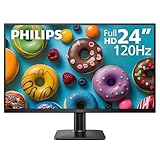
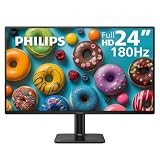

Our Top Picks
 AOC 24 Inch Gaming Monitor FHD 180Hz Fast24" FHD 180Hz6.99 x 21.42 x 16.46 inches6.5 poundsCheck on Amazon
 Acer 23.8in FHD 1920x1080 IPS 120Hz Office Monitor23.8-inch4.53 x 21.21 x 16.7 Inches7.7 PoundsCheck on Amazon
 SANSUI 24 Inch 180Hz Gaming Computer Monitor23.8121.2 x 7.95 x 16.28 inches8.7 poundsCheck on Amazon
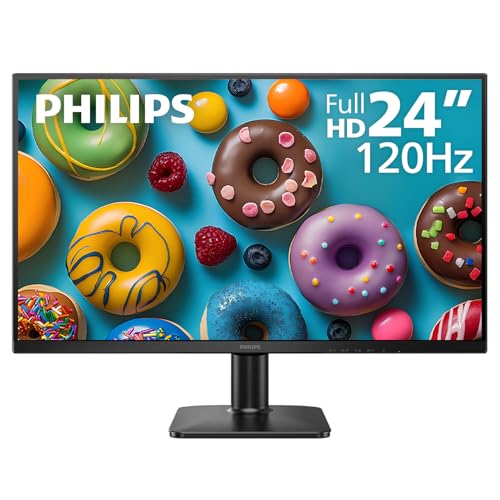 Philips 24 Inch Computer Monitor FHD 120Hz IPS24 inch 120Hz1.3 x 12.56 x 21.41 inches9.3 PoundsCheck on Amazon


Top 3 picks at a glance
msi PRO MP243L E14 24-inch IPS 1920 x 1080 (FHD) Gaming Office...Check price AOC 24 Inch Gaming Monitor FHD 180Hz Fast IPS 0.5ms HDR, 24G51F2Check price
Quick Picks
| Product | Best for | Price |
|---|---|---|
| Dell 24 240Hz Gaming Monitor SE2426HG | Best overall for mixed retro and modern gaming | Check on Amazon |
| MSI PRO MP243L E14 | Best budget IPS pick with office flexibility | Check on Amazon |
| AOC 24G51F2 | Best value high-refresh Fast IPS option | Check on Amazon |
| Acer KB242Y G0bi | Best simple IPS monitor for casual setups | Check on Amazon |
| SANSUI 24 Inch 180Hz Gaming Computer Monitor | Best low-cost option to research before buying | Check on Amazon |
| Philips 24E2N2100 | Best IPS choice for work and lighter gaming | Check on Amazon |
| Philips 24E2G2200 | Best Philips pick for faster gameplay | Check on Amazon |
| ASUS VA249QG | Best for buyers who want HDMI and DisplayPort listed | Check on Amazon |
How We Compared
We ranked these monitors around the needs of a compact retro-gaming station: Full HD resolution, a 24-inch-class screen, listed IPS technology where confirmed, refresh-rate headroom, connection options, ergonomic basics, and price. Since retro hardware and adapters vary widely, port listings matter as much as panel and refresh specifications.
We also gave extra weight to value. Every monitor here costs from around $79 to around $110, so the differences are less about spending dramatically more and more about choosing the right feature balance. Models without a listed IPS panel are included only because they may still suit a buyer’s broader gaming needs, but they rank lower for a specifically IPS-focused search.
The 8 Best Picks
1. Dell 24 240Hz Gaming Monitor SE2426HG — Best Overall
The Dell SE2426HG is the most complete all-around choice for a retro setup that also handles current PC gaming. Its 23.8-inch IPS display uses a 1920 x 1080 resolution and reaches 240Hz, giving it far more refresh-rate headroom than most classic-game setups require. It also lists two HDMI ports plus DisplayPort 1.4, which is useful when more than one device needs to stay connected. AMD FreeSync Premium, tilt adjustment, and TÜV 3-Star status add to its appeal.
- Pro: Confirmed IPS technology with a 23.8-inch Full HD screen.
- Pro: Two HDMI inputs and DisplayPort 1.4 support a flexible desk setup.
- Con: At around $99, it is not the least expensive monitor in this group.
Skip it if your priority is simply the lowest possible price and you do not need 240Hz or dual HDMI.
2. MSI PRO MP243L E14 — Best Budget IPS Pick With Office Flexibility
The MSI PRO MP243L E14 makes sense for someone building a retro-gaming corner inside a work-from-home room. It pairs a 24-inch IPS, 1920 x 1080 display with a 144Hz refresh rate, so it is positioned for both office use and gaming. Its four-side slim bezel can be helpful for a clean-looking desktop, while the listed HDMI and VGA port broaden connection possibilities. It is also VESA mountable and includes tilt adjustment, useful features when desk space is limited.
- Pro: IPS panel, Full HD resolution, and 144Hz refresh rate at around $89.
- Pro: HDMI, VGA, VESA mounting, and tilt provide useful setup flexibility.
- Con: DisplayPort is not listed in the supplied specifications.
Skip it if DisplayPort is a must-have connection or if you want the highest listed refresh rate available here.
3. AOC 24G51F2 — Best Value High-Refresh Fast IPS Option
The AOC 24G51F2 is a strong value pick for buyers who want confirmed Fast IPS technology without pushing close to the top of the price range. This 24-inch monitor has a Full HD resolution, a 180Hz refresh rate, HDR support, and a listed 0.5ms response-time specification. For a player who moves between older pixel-art favorites and faster modern games, that feature mix is compelling at around $84. It is especially attractive when a straightforward gaming-focused monitor matters more than office-oriented extras.
- Pro: Fast IPS panel with 180Hz refresh capability.
- Pro: Full HD, HDR, and 0.5ms are listed at an around $84 price.
- Con: The supplied specifications do not list its ports or stand adjustments.
Skip it if you need to confirm connection types or mounting and ergonomic options before ordering.
4. Acer KB242Y G0bi — Best Simple IPS Monitor for Casual Setups
The Acer KB242Y G0bi is the uncomplicated choice for a casual retro station where confirmed IPS technology and a sensible price matter more than an extreme refresh figure. Its 23.8-inch screen runs at 1920 x 1080 and 120Hz, a combination that fits a compact desk without adding features many classic-console users may not need. At around $79, it is tied for the lowest price in this roundup. The office-monitor positioning may also appeal if the screen will spend as much time on documents as games.
- Pro: Confirmed 23.8-inch IPS panel with Full HD resolution.
- Pro: 120Hz refresh rate at a around $79 price.
- Con: The supplied specifications do not list ports, mounting, or stand adjustments.
Skip it if you want more explicitly listed gaming features, such as HDR, FreeSync, or multiple inputs.
5. SANSUI 24 Inch 180Hz Gaming Computer Monitor — Best Low-Cost Option to Research
The SANSUI 24 Inch 180Hz Gaming Computer Monitor is priced aggressively at around $79 and lists a 180Hz refresh rate with Full HD 1080P positioning for game and office use. That makes it potentially interesting for a buyer trying to keep a monitor purchase inexpensive while still wanting a faster refresh specification. However, the supplied product details do not identify the panel technology, inputs, stand adjustment, or other connection details. For a roundup specifically focused on IPS monitors, that missing panel information keeps it behind the confirmed IPS choices.
- Pro: 180Hz refresh rate is listed at around $79.
- Pro: Full HD 1080P is listed for gaming and office use.
- Con: IPS technology is not listed in the supplied specifications.
Skip it if confirmed IPS viewing characteristics are non-negotiable or if you need known port details before purchase.
6. Philips 24E2N2100 — Best IPS Choice for Work and Lighter Gaming
The Philips 24E2N2100 is a clean, budget-minded option for a desk that needs to serve both work and retro play. Its listed specification is straightforward: a 24-inch IPS screen, Full HD resolution, and a 120Hz refresh rate for around $79. That makes it one of the least expensive confirmed IPS options in the group. It is a sensible match for someone who values a familiar 24-inch format and does not need the 180Hz or 240Hz refresh specifications found on more gaming-focused alternatives.
- Pro: Confirmed 24-inch IPS display at the joint-lowest around $79 price.
- Pro: Full HD and 120Hz provide a balanced everyday specification.
- Con: The published listing information do not list connections, HDR, or stand adjustments.
Skip it if your setup requires specifically listed HDMI, DisplayPort, or gaming synchronization features.
7. Philips 24E2G2200 — Best Philips Pick for Faster Gameplay
The Philips 24E2G2200 steps up from the brand’s 120Hz option with a 24-inch Full HD IPS panel and a listed 180Hz overclocked refresh rate. It also includes HDR10 in the supplied description, making it the more gaming-forward Philips choice. At around $82, it costs only slightly more than the 24E2N2100 while offering a notably higher listed refresh figure. For a retro gamer who also uses a PC for newer action games, that price-to-specification balance is hard to ignore.
- Pro: IPS, Full HD, HDR10, and 180Hz overclocked operation are listed.
- Pro: At around $82, it remains close to the lowest-priced options.
- Con: Port selection and ergonomic details are not included in the supplied specifications.
Skip it if you prefer a monitor with confirmed connection details or if 120Hz already covers your needs.
8. ASUS VA249QG — Best for Buyers Wanting HDMI and DisplayPort Listed
The ASUS VA249QG is a 24-inch, 1080P monitor with a 120Hz refresh rate and listed Eye Care gaming positioning. It includes both HDMI and DisplayPort, which can simplify a shared setup with a console on one input and a computer on the other. That connectivity is its clearest advantage in this list, along with the familiar 24-inch Full HD format. Still, at around $110, it is the most expensive pick, and IPS technology is not included in the supplied product facts.
- Pro: HDMI and DisplayPort are both listed.
- Pro: 24-inch 1080P screen with a 120Hz refresh rate.
- Con: It costs around $110, and IPS panel technology is not listed.
Skip it if you want a confirmed IPS monitor or the strongest refresh-rate value for your budget.
Buying Guide
Prioritize Confirmed IPS Technology
If IPS is the reason for your search, choose from the Dell, MSI, AOC, Acer, Philips 24E2N2100, or Philips 24E2G2200. Their supplied specifications explicitly identify IPS or Fast IPS technology. The SANSUI and ASUS entries may fit other needs, but their published listing information do not confirm IPS, so they are not the safest picks for an IPS-specific purchase.
Match Refresh Rate to Your Mixed-Use Setup
A 120Hz model such as the Acer, Philips 24E2N2100, or ASUS can suit a simple setup. The MSI reaches 144Hz, while the AOC, SANSUI, and Philips 24E2G2200 list 180Hz. The Dell reaches 240Hz. Higher refresh numbers can matter most if the same monitor will also be used for fast PC games; for a retro-only station, ports, price, and confirmed panel type may be more important.
Verify Inputs Before Planning Your Console Shelf
Connection details are not equally complete across the list. Dell explicitly lists two HDMI ports and DisplayPort 1.4. MSI lists HDMI and VGA. ASUS lists HDMI and DisplayPort. Before buying any model with unspecified ports, confirm that its available connections work with your console, computer, switcher, or adapter. This step prevents a bargain monitor from creating an inconvenient cable problem later.
Our Verdict
The Dell SE2426HG is the best 24-inch IPS monitor for retro gaming overall because it combines a 23.8-inch Full HD IPS panel, 240Hz refresh rate, two HDMI ports, DisplayPort 1.4, tilt, and AMD FreeSync Premium for around $99. For tighter budgets, the AOC 24G51F2 is the standout value at around $84 thanks to its 24-inch Fast IPS panel and 180Hz specification. If you want the lowest-priced confirmed IPS option, start with the Acer KB242Y G0bi or Philips 24E2N2100, both at around $79.
FAQ
Is a 24-inch monitor a good size for retro gaming?
Yes. A 23.8-inch or 24-inch screen is a practical size for a desk-based retro-gaming setup, especially when you also need room for controllers, speakers, a keyboard, or a compact console. Every pick here uses a 23.8-inch or 24-inch-class display and Full HD resolution.
Which monitor has the most HDMI flexibility?
The Dell SE2426HG has the clearest advantage in the supplied specifications because it lists two HDMI ports as well as DisplayPort 1.4. MSI lists HDMI and VGA, while ASUS lists HDMI and DisplayPort. For the other models, connection details should be verified before purchase.
Do I need 240Hz for retro games?
Not necessarily. The Dell’s 240Hz specification is useful for buyers who also play newer PC games, but a 120Hz, 144Hz, or 180Hz monitor may be a better value depending on your wider use. For a dedicated retro setup, confirmed IPS technology and the inputs you need can be more important than the highest refresh number.
What is the cheapest confirmed IPS pick?
The Acer KB242Y G0bi and Philips 24E2N2100 are both listed at around $79 and both explicitly list IPS technology. The Acer is a 23.8-inch Full HD 120Hz model, while the Philips is a 24-inch Full HD 120Hz model.









